|
You can use stream_from to read a table's contents. This is a quick and easy way to read a table, but it comes with limitations. It cannot stream from a view, only from a table. It does not support conditions. And there are no guarantees about ordering. If you need any of those things, consider streaming from a query instead.
|
| static stream_from | raw_table (transaction_base &tx, std::string_view path, std::string_view columns=""sv) |
| | Factory: Stream data from a pre-quoted table and columns. More...
|
| |
| static stream_from | table (transaction_base &tx, table_path path, std::initializer_list< std::string_view > columns={}) |
| | Factory: Stream data from a given table. More...
|
| |
| | stream_from (transaction_base &, from_query_t, std::string_view query) |
| | Execute query, and stream over the results. More...
|
| |
| | stream_from (transaction_base &, from_table_t, std::string_view table) |
| | Stream all rows in table, all columns. More...
|
| |
| template<typename Iter > |
| | stream_from (transaction_base &, from_table_t, std::string_view table, Iter columns_begin, Iter columns_end) |
| | Stream given columns from all rows in table. More...
|
| |
| template<typename Columns > |
| | stream_from (transaction_base &tx, from_table_t, std::string_view table, Columns const &columns) |
| | Stream given columns from all rows in table. More...
|
| |
| | stream_from (transaction_base &tx, std::string_view table) |
| |
| template<typename Columns > |
| | stream_from (transaction_base &tx, std::string_view table, Columns const &columns) |
| |
| template<typename Iter > |
| | stream_from (transaction_base &, std::string_view table, Iter columns_begin, Iter columns_end) |
| |
| | stream_from (stream_from const &)=delete |
| |
| | stream_from (stream_from &&)=delete |
| |
| | ~stream_from () noexcept |
| |
| stream_from & | operator= (stream_from const &)=delete |
| |
| stream_from & | operator= (stream_from &&)=delete |
| |
| constexpr | operator bool () const noexcept |
| | May this stream still produce more data? More...
|
| |
| constexpr bool | operator! () const noexcept |
| | Has this stream produced all the data it is going to produce? More...
|
| |
| void | complete (sl=sl::current()) |
| | Finish this stream. Call this before continuing to use the connection. More...
|
| |
| template<typename Tuple > |
| stream_from & | operator>> (Tuple &) |
| | Read one row into a tuple. More...
|
| |
| template<typename... Vs> |
| stream_from & | operator>> (std::variant< Vs... > &)=delete |
| | Doing this with a std::variant is going to be horrifically borked. More...
|
| |
| template<typename... TYPE> |
| auto | iter () & |
| | Iterate over this stream. Supports range-based "for" loops. More...
|
| |
| std::vector< std::string_view > const * | read_row (sl loc=sl::current()) & |
| | Read a row. Return fields as views, valid until you read the next row. More...
|
| |
| raw_line | get_raw_line (sl) |
| | Read a raw line of text from the COPY command. More...
|
| |
Stream data from the database.
- Deprecated:
- Use transaction_base::stream.
For larger data sets, retrieving data this way is likely to be faster than executing a query and then iterating and converting the rows fields. You will also be able to start processing before all of the data has come in.
There are also downsides. Not all kinds of query will work in a stream. But straightforward SELECT and UPDATE ... RETURNING queries should work. This function makes use of pqxx::stream_from, which in turn uses PostgreSQL's COPY command, so see the documentation for those to get the full details.
There are other downsides. If there stream encounters an error, it may leave the entire connection in an unusable state, so you'll have to give the whole thing up. Finally, opening a stream puts the connection in a special state, so you won't be able to do many other things with the connection or the transaction while the stream is open.
There are two ways of starting a stream: you stream either all rows in a table (using one of the factories, table() or raw_table()), or the results of a query (using the query() factory).
Usually you'll want the stream convenience wrapper in transaction_base, * so you don't need to deal with this class directly.
- Warning
- While a stream is active, you cannot execute queries, open a pipeline, etc. on the same transaction. A transaction can have at most one object of a type derived from pqxx::transaction_focus active on it at a time.
template<typename Tuple >
| stream_from & pqxx::stream_from::operator>> |
( |
Tuple & |
t | ) |
|
|
inline |
Read one row into a tuple.
Converts the row's fields into the fields making up the tuple.
For a column which can contain nulls, be sure to give the corresponding tuple field a type which can be null. For example, to read a field as int when it may contain nulls, read it as std::optional<int>. Using std::shared_ptr or std::unique_ptr will also work.
Factory: Execute query, and stream the results.
The query can be a SELECT query or a VALUES query; or it can be an UPDATE, INSERT, or DELETE with a RETURNING clause.
The query is executed as part of a COPY statement, so there are additional restrictions on what kind of query you can use here. See the PostgreSQL documentation for the COPY command:
https://www.postgresql.org/docs/current/sql-copy.html
| std::vector< std::string_view > const * pqxx::stream_from::read_row |
( |
sl |
loc = sl::current() | ) |
& |
Read a row. Return fields as views, valid until you read the next row.
Returns nullptr when there are no more rows to read. Do not attempt to read any further rows after that.
Do not access the vector, or the storage referenced by the views, after closing or completing the stream, or after attempting to read a next row.
If any of the views' data pointer is null, that means that the corresponding SQL field is null.
- Warning
- The return type may change in the future, to support C++20 coroutine-based usage.
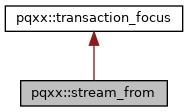
 Inheritance diagram for pqxx::stream_from: